
AI in PoolSketch
AI pool design: describe it, show it
Type or say what the customer wants and get a full, editable design in about 3 seconds. Then turn the 3D view or a photo of their yard into a picture they will remember. Everything the AI makes stays editable or clearly labelled, and you review it before it reaches a customer.
14 day free trial. AI use is capped during a trial.
1. Describe your pool
Say it in a sentence. Get the whole design.
Open Describe your pool from New design or the More menu, type or dictate what the customer wants, and tap Create the plan. You get a normal PoolSketch plan: the pool, spa, steps, deck, fences and gates, pergola, outdoor kitchen, fire pit, planting and more, placed to scale and ready to drag around.
- Any language. Describe the pool in Spanish, Arabic, Hindi or any other language; the plan comes back in the app's own language.
- Every shape. It can place all 85 pool templates and every other piece in the library. Anything it cannot place is listed as "could not place" instead of failing quietly.
- Uses your survey. If you have already drawn the house, fence, lot lines and no-build zones, the new design fits that yard, faces the yard side and keeps clear of easements. Set the scale on the survey first so sizes come out real.
- Lands as a new Option. When the plan already has content, the design is added as a new Option, so the earlier plan is untouched. One undo takes it back.
- Change it in words. Type "make the pool bigger and add a pergola" and the change is written as another new Option.
- Dictate it. A Speak button appears where your browser supports dictation.
About 3 seconds in our live tests. It needs a connection and uses 1 AI credit, which comes back if no valid design is returned.
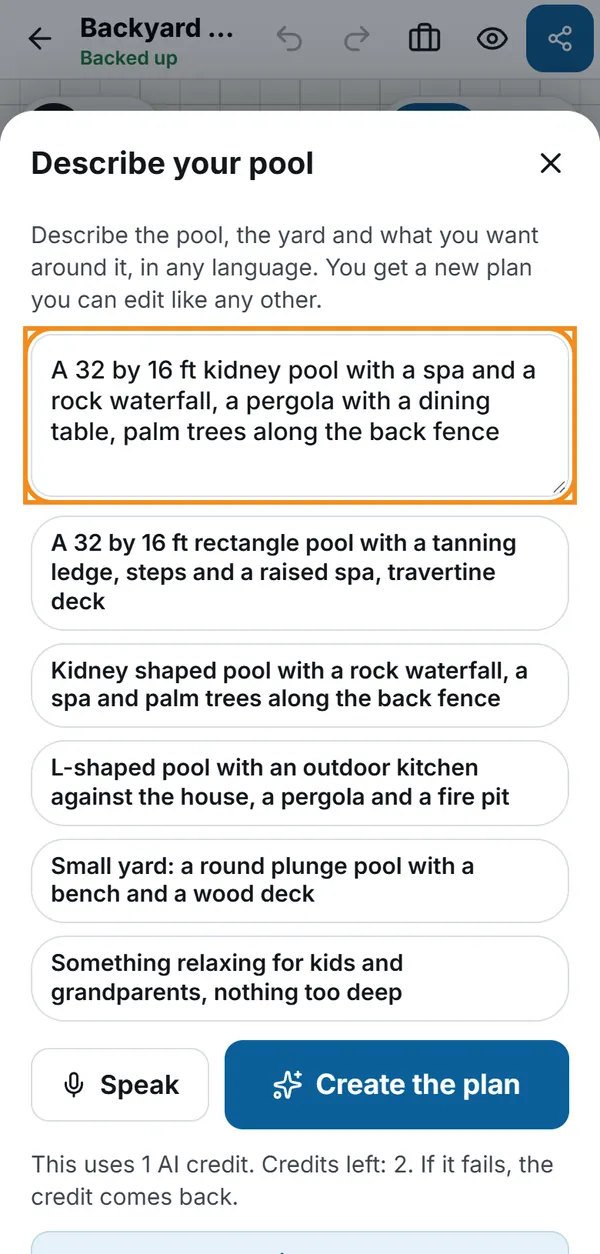
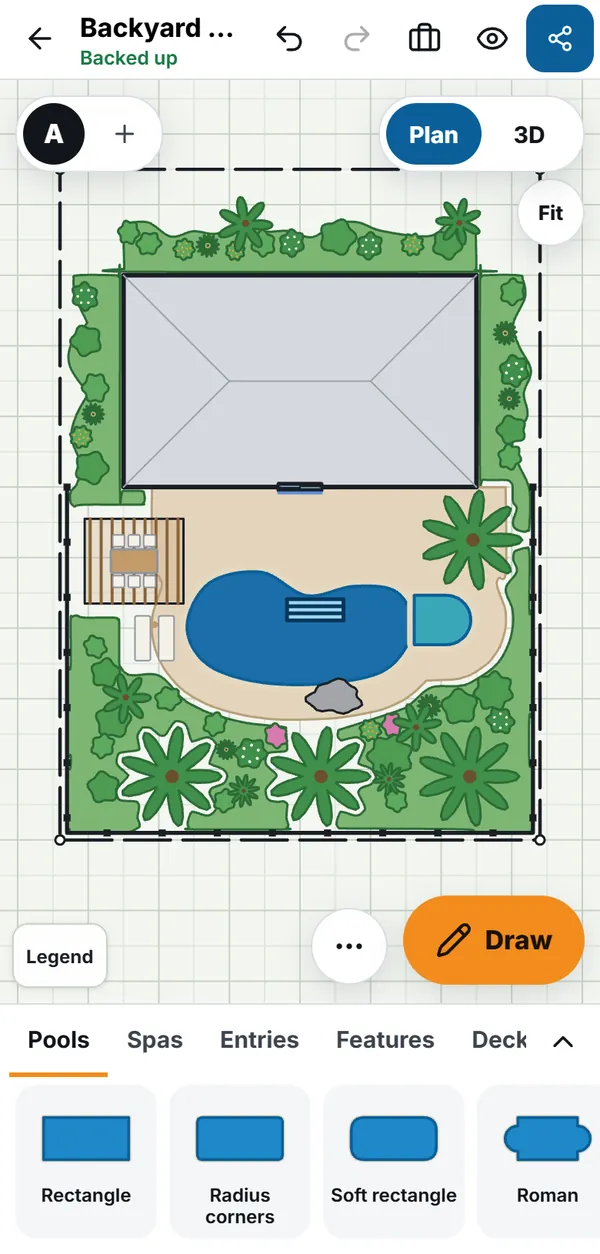
What a good description looks like
Short is fine. Sizes, a pool shape, and what goes around it are enough.
Shape and size
"A 32 by 16 ft rectangle pool with a tanning ledge, steps and a raised spa, travertine deck."
Features around it
"Kidney pool with a rock waterfall, a spa and palm trees along the back fence."
The brief, not the drawing
"Something relaxing for kids and grandparents, nothing too deep."
Do not type the customer's name or address into the description: the text is sent to the AI service.
2. AI photo finish
From the 3D view to a picture they remember
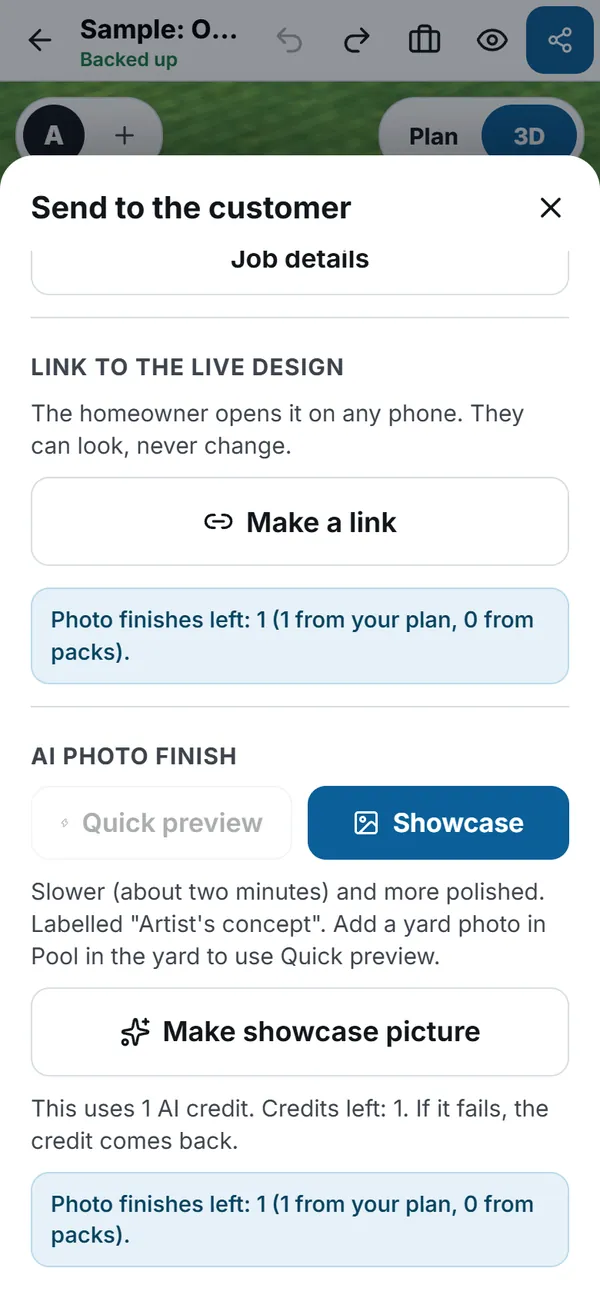
Turn the design into a photograph style image. Quick preview keeps your real yard photo and only the pool area is made realistic. Showcase makes the most photographic picture of the whole design.
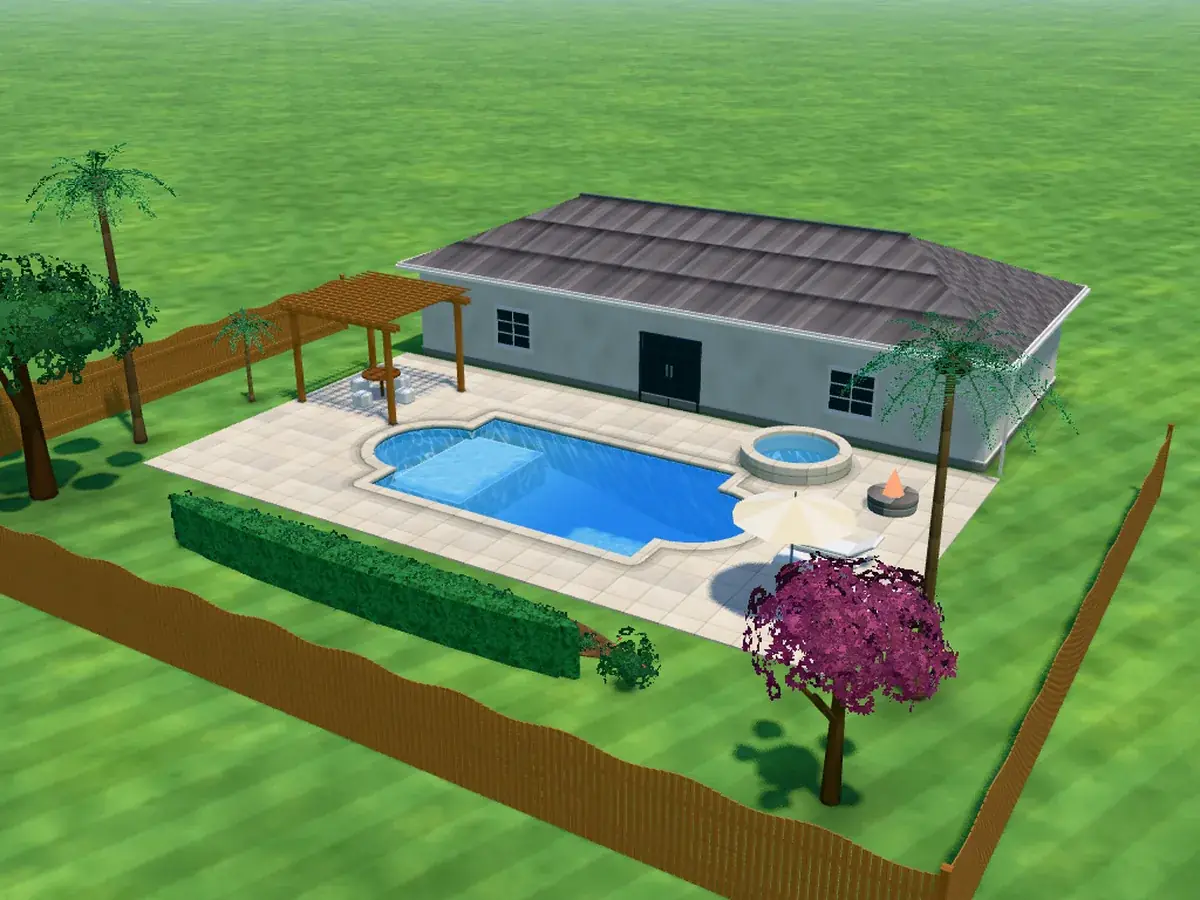
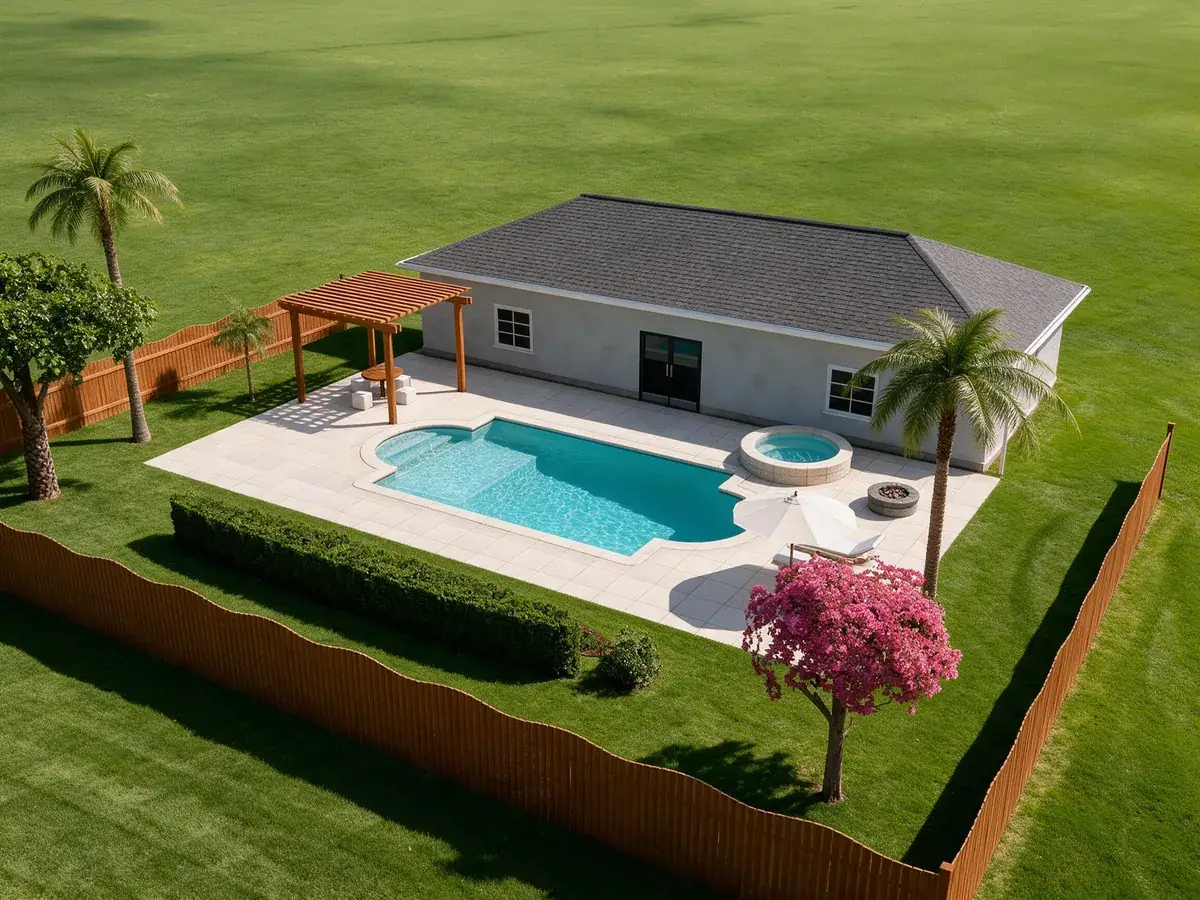
Both pictures come from a sample design made in PoolSketch, not from a customer. The Showcase picture was made with the same image model the app uses.
Quick preview or Showcase
| Quick preview | Showcase | |
|---|---|---|
| Needs a yard photo | Yes | No (with a photo it fits the design into it) |
| Time | About 10 to 15 seconds | About 2 minutes, in the background |
| What changes | Only the pool area. The rest is your real photo and the pool footprint stays locked to the design | The whole picture is made by the AI from the design |
| Cost | 1 credit | 1 credit |
Pairs with the AI: survey and scale
Start from the real property
This part is not AI, and it is what makes the AI results useful. Import the survey from the camera, a photo or a PDF, straighten it by its four corners, and set the scale from one known length. Then the sizes in a described design are real, and the live distances to the house, fence and property line update as you drag.
- Photo or PDF survey, scale from one known length, checked against a second
- Live clearances while you drag, with no-build zones flagged in words
- Setback distances are entered per job. PoolSketch never assumes a city's rules

3. Landscaping, composites and more
The rest of the picture, with no AI credit
These tools run on your device or from fixed rules, so they cost nothing per use.
One-tap landscaping
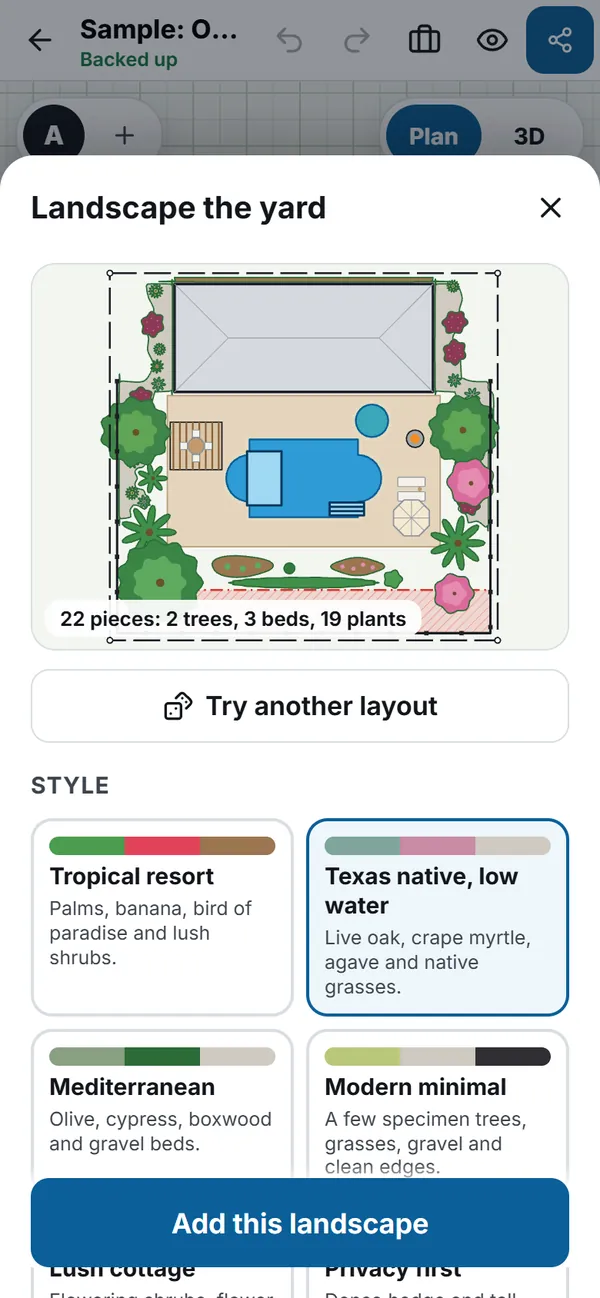
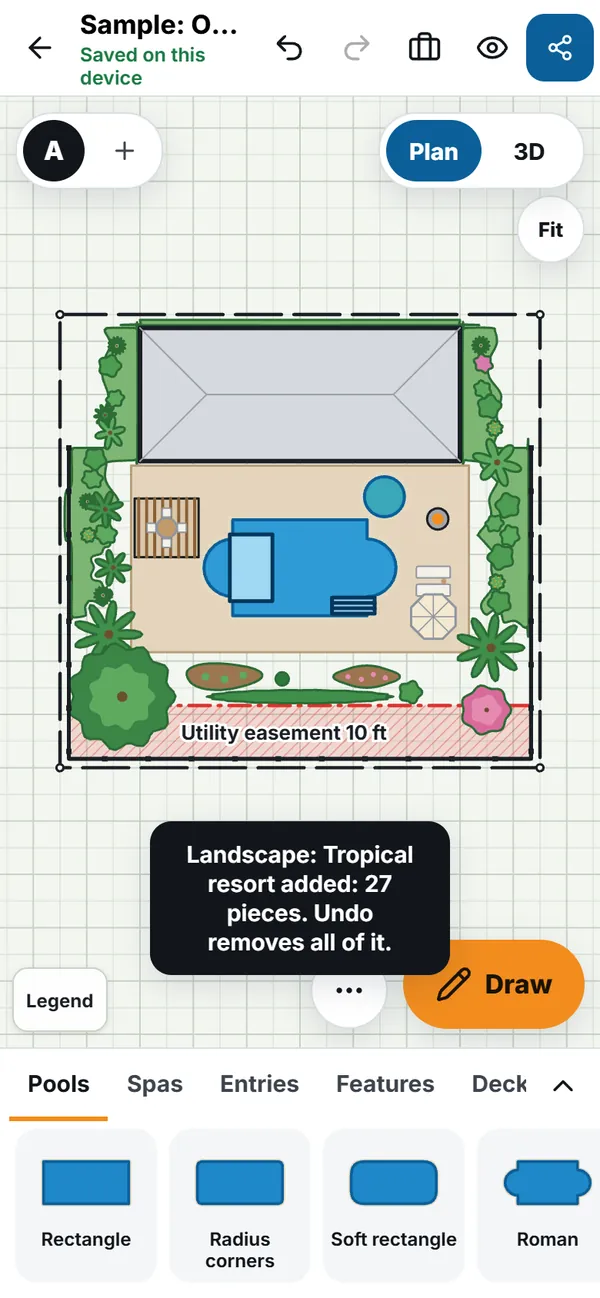
Choose one of seven styles, set the density, and the yard is planted with beds, hedges, lawn and trees that keep clear of the pool, house, gates and easements. Ten planting packs drop in groups at real size. Every plant is an ordinary piece you can move or delete, and one undo removes the lot.
Photo composite
Put the designed pool, deck and planting into a photo of the real yard at true scale, on the device. Shadows, colour and sharpness are matched, a brush fixes foreground objects, and a slider compares before and after. No AI and no per-image cost.
Render and AR
A path-traced Render sharpens a photoreal-looking image on the device over time. "See it in your yard" opens the design at real size in Apple Quick Look or Android Scene Viewer so you can walk around it.
4. 21 languages
Sell in your customer's language
The app runs in 21 languages, English plus 20 more, including right-to-left Arabic and Hebrew. You can describe a pool in any language. The PDF handout prints Arabic, Hebrew, Hindi and Thai in their own scripts, with right-to-left pages mirrored.
The translations other than English are machine translated. Spanish is waiting for a native speaker's review. Tell us about any wording that reads wrong.
How credits work
One credit per AI result
Describe your pool, Quick preview and Showcase each use 1 AI credit, taken when you start and refunded automatically if no result comes back.
| Plan | AI credits | More |
|---|---|---|
| Core, $35 a month | 3 one-time trial credits | Everything else in the app is included. Upgrade to Pro for monthly credits |
| Pro, $79 a month | 100 a month | Top-up pack: 50 credits for $12, one time |
| Team, $179 a month | 500 pooled a month, plus 100 for each extra seat | Top-up pack: 200 pooled credits for $40, one time |
- Your monthly allowance is used first, then pack credits. Pack credits do not expire.
- During a free trial, AI use is capped so a trial cannot run up a bill.
- There is a short wait between requests, and a limit on how many designs one person can make in an hour.
- Prices in US dollars plus tax where it applies. Full details on Pricing.
Honest limits
What the AI is, and what it is not
Pictures are an artist's concept
AI pictures are illustrations of the design, not photographs of a finished pool. Showcase pictures are labelled "Artist's concept", and the label is burned into the picture when it goes in a PDF. Plants, finishes and lighting are illustrative.
Shape fidelity is measured, not promised
Quick preview locks the pool footprint to your design. Showcase keeps the layout in our tests, but an image model can still change a finish, a plant or a shadow. Compare the picture with the plan before you send it.
A described design is a starting point
It places real library pieces to scale and checks them against the house and zones you drew, but it does not know your city's rules, your soil or your price. Pieces that cannot be placed are listed. Check the result and edit it like any plan.
Review before you send
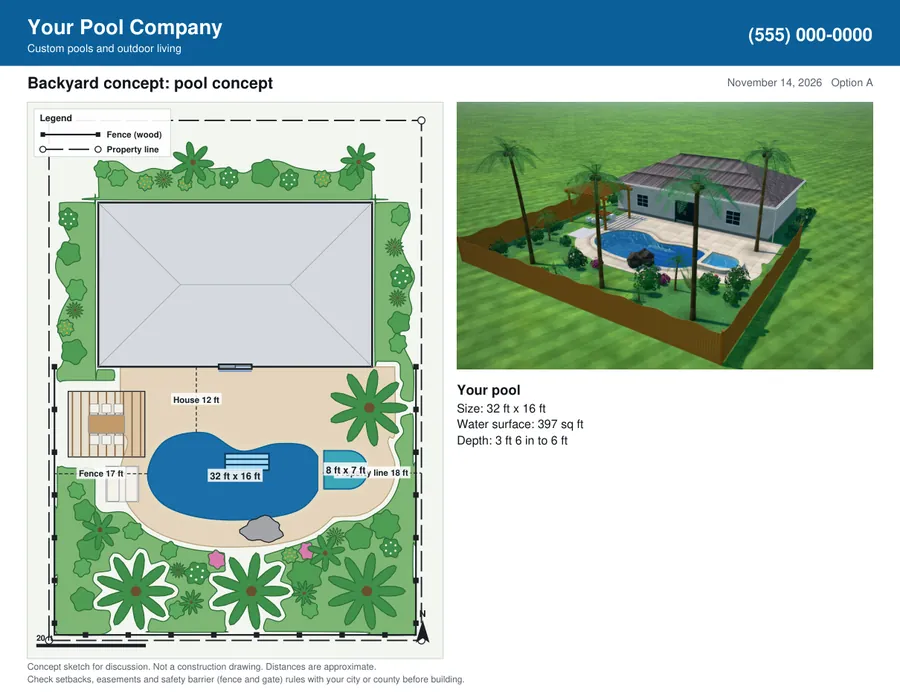
You decide what a customer sees. Every customer copy says: Concept sketch for discussion. Not a construction drawing. Check setbacks, easements and safety barrier rules with the city or county.
Privacy
Nothing goes to the AI unless you press the button
- Describe your pool sends the text you typed, a short summary of the design when you ask for a change (sizes and what it contains, never pictures), and a few site facts such as lot and yard size. It goes to a language model through OpenRouter. We do not keep the text of your description.
- AI photo finish sends the picture you ask us to improve: a render of your design or a composite, and a yard photo only if you choose to include one. It goes through OpenRouter to the image model that makes the picture.
- We never send customer names or addresses. Survey images stay on your device unless you choose one as the yard photo. Check any yard photo for people, vehicles or house numbers first.
- Showcase results are held by us for up to 3 days so you can collect them, then deleted. Quick preview results are returned to you straight away and not kept.
The legal detail is in the privacy policy and the data processing summary.
AI questions
What is Describe your pool?
You type or dictate a description of the pool and yard, in any language, and PoolSketch builds a full, editable design from it in about 3 seconds. It uses the same pieces as a hand-drawn plan, so you can move, resize or delete anything. It costs 1 AI credit, which is refunded if no valid design comes back.
Can it use my survey and setbacks?
Yes. If the open design already has the house, fences, lot lines and no-build zones drawn, the new design fits that yard and avoids those zones. Set the scale on the survey first so the sizes come out real. The survey picture itself is not sent to the AI.
Does Describe your pool replace my plan?
No. When the plan already has content, the design is added as a new Option, so your earlier plan is untouched, and one undo removes it.
What is the difference between Quick preview and Showcase?
Quick preview needs a yard photo, takes about 10 to 15 seconds, keeps your real photo and locks the pool footprint to the design. Showcase takes about 2 minutes in the background, works with or without a photo, and is the most photographic. Showcase pictures are labelled Artist's concept. Each costs 1 credit.
What if an AI result fails?
The credit is refunded automatically. A photo finish that never reports back is closed and refunded after a while.
Which plans include AI?
Core has 3 one-time trial credits. Pro has 100 credits a month and Team has 500 pooled credits a month, with top-up packs for both. Your monthly allowance is used first, then pack credits. During a trial, AI use is capped.
Is the AI picture a promise of what I will build?
No. It is an illustration, labelled Artist's concept, and shapes, finishes, plants and lighting may differ from the built pool. Tell customers that, and review every picture before you send it.
Where do my images and descriptions go?
Only to the AI service, and only when you press the button. Describe your pool sends your typed text and a summary of the design. Photo finish sends the render or composite and an optional yard photo. Customer names and addresses are never sent. Showcase results are kept for up to 3 days and then deleted.
Describe a pool and see it in 3D
14 day free trial. Try Describe your pool on your own yard.
