Pools and shapes
Drag a line end to extend it
3 min read
Goal: Make a line longer or shorter by pulling its end.
Steps
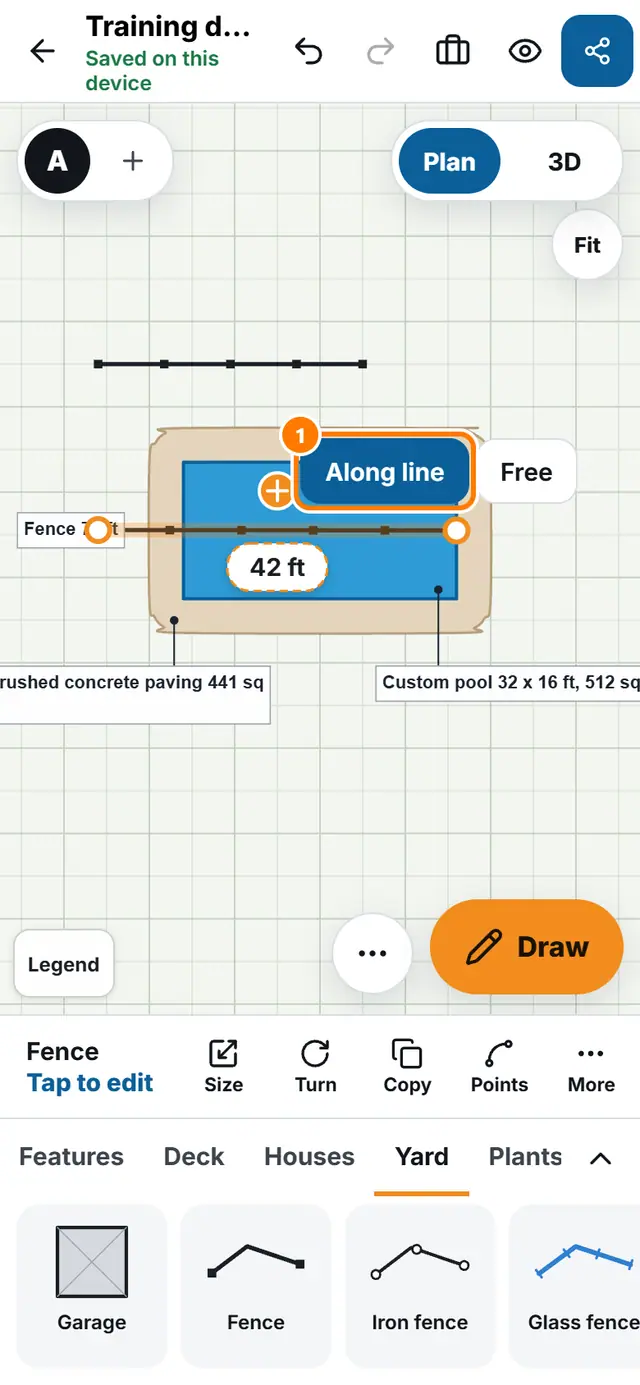
- Tap the line, for example a fence or a property line. A dot shows at each end.
- Drag an end dot. By default the end moves Along line, so the angle stays the same and the line grows or shrinks.
- To point the end somewhere new, switch the chip to Free and drag again.
- To switch for one drag only, hold Alt, or tap with a second finger.
- To carry on from an end with new corners, press and hold an end dot for Extend from this end, tap the next points, then tap Done.
- Drag the middle of the line to move the whole line.