Deliver it
The branded PDF and the share link
4 min read
Goal: Send the customer a clean PDF and a link they can open on any phone.
Steps
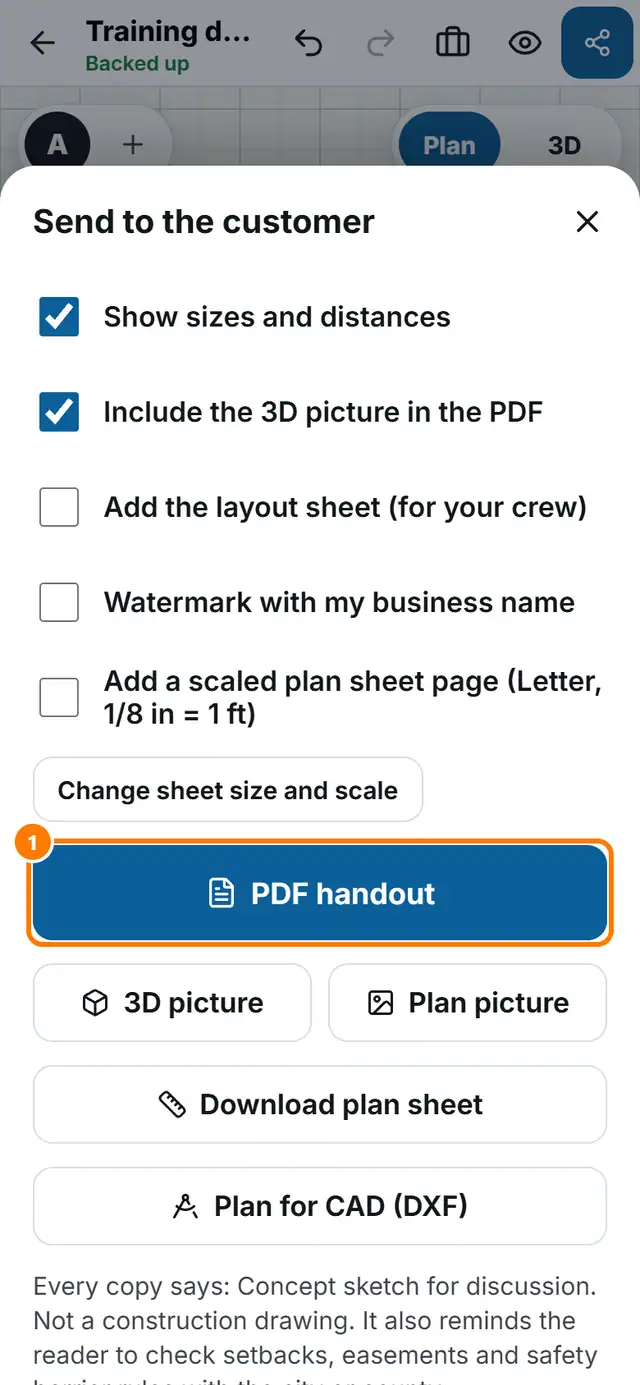
- Tap Send at the top right.
- Choose what goes in: Show sizes and distances, Include the 3D picture in the PDF, Add the layout sheet (for your crew) and Watermark with my business name.
- Tap PDF handout. Wait while it builds. It is saved to your downloads or opens the share sheet.
- Under Link to the live design tap Make a link. The homeowner opens it on any phone. They can look, but never change anything.
- Tap Job details to add the value and contact details.