Pools and shapes
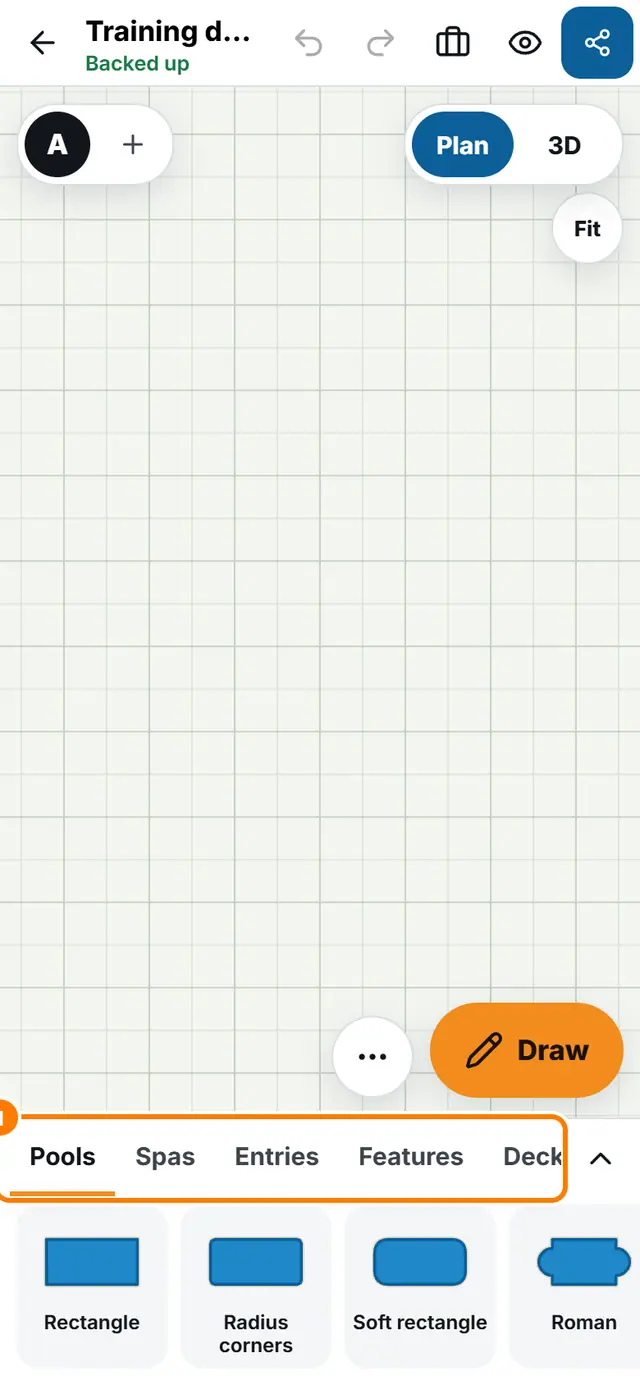
Pick pieces from the tray
3 min read
Goal: Find any pool, spa, deck, house, plant or extra and put it on the plan.
Steps
- Look at the tray at the bottom of the plan. The tabs are Pools, Spas, Entries, Features, Deck, Houses, Yard, Plants, Furniture, Notes, Packs and My templates.
- Tap a tab to see its pieces.
- Tap a piece to place it. A pool asks for its size first. Type a size, pick a chip such as 16 x 32, or tap Skip, use default.
- Use the search box in the tray to find a piece by name.
- Tap the arrow to shrink the tray when you need more room on the plan, and open it again later.