Show it
AI photo finish
4 min read
Goal: Turn your design into a polished picture with AI.
Steps
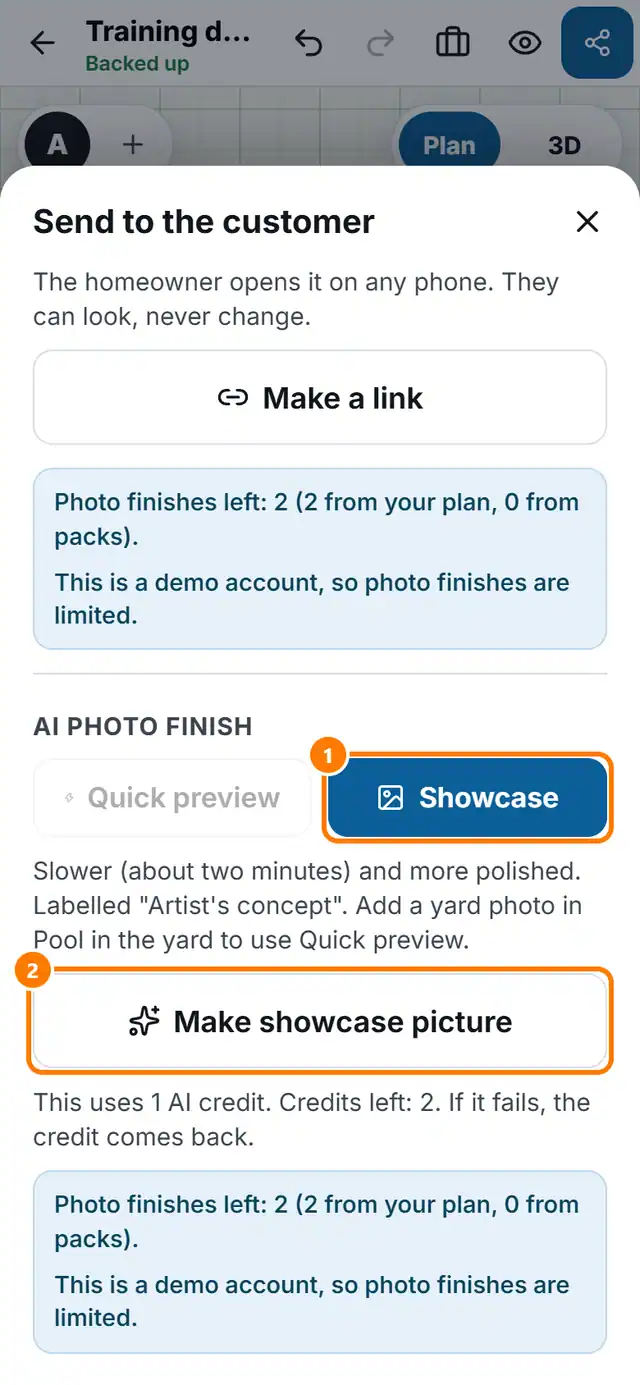
- Tap Send. Scroll to the photo finish area.
- Choose the Finish type: Quick preview or Showcase.
- Quick preview takes about 15 seconds. Your yard stays your real photo and only the pool area is made realistic. It needs a yard photo, which you add in Pool in the yard.
- Showcase takes about two minutes and is more polished.
- Tap Make quick preview or Make showcase picture.
- When it is ready, tap Share or Download.