The yard design
Fences, walls and gates
3 min read
Goal: Draw a fence, wall or lot line along the real run.
Steps
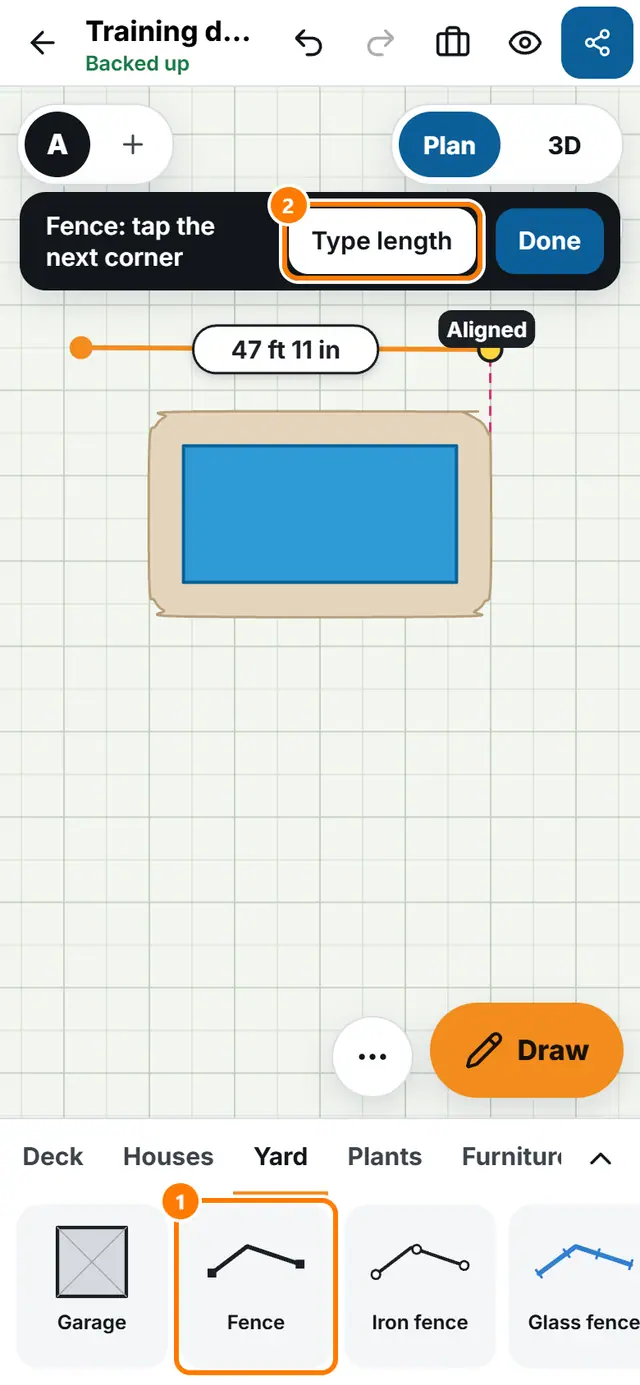
- Open the Yard tab. Tap Fence, Iron fence, Glass fence, Masonry wall or Property line.
- The top says Fence: tap the first corner. Tap the corners one after another.
- Tap Type length to enter an exact side length.
- Tap Done to finish the line.
- Tap Gate (also in the Yard tab) and place it on the fence.