The yard design
Houses and roofs
4 min read
Goal: Place a house that looks like the customer's and set its roof.
Steps
- Open the Houses tab in the tray and tap a house.
- Drag the house onto the right spot. Tap Turn to face it the right way.
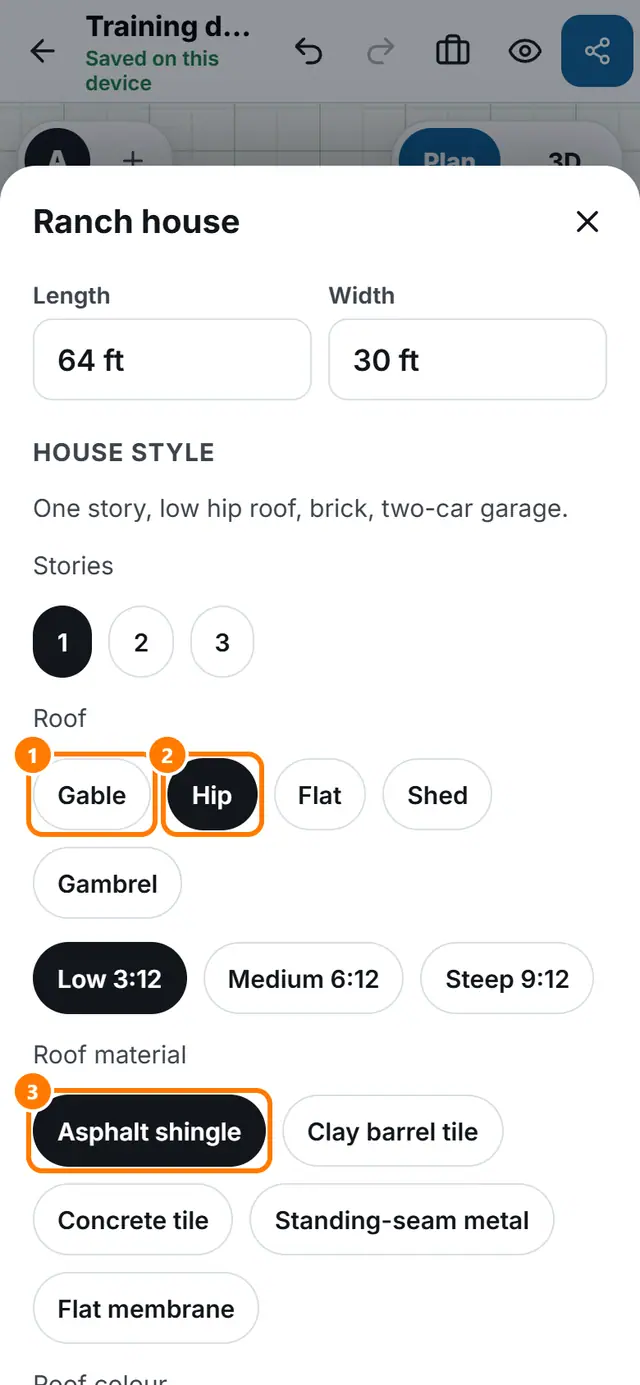
- Tap Size and type the Length and Width.
- Pick the number of Stories.
- Pick the Roof: Gable, Hip, Flat, Shed or Gambrel, then a pitch such as Medium 6:12.
- Choose the Roof material, Wall finish and the colours.
- Under Details add garage doors, a front porch, a chimney, dormers, a balcony, shutters or arched windows.