Show it
Fly-around, 360 panorama, photo and timelapse
5 min read
Goal: Make a video, a panorama or a picture to send.
Steps
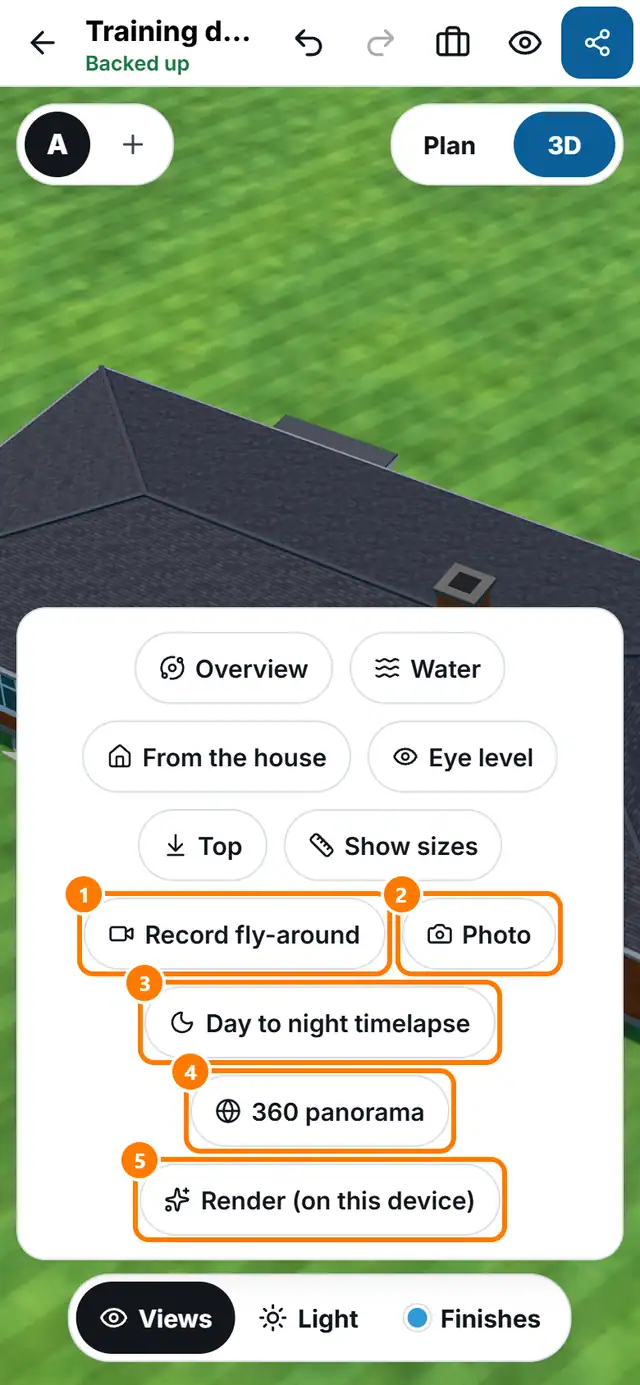
- Tap 3D, then open Views.
- Tap Record fly-around for a video that circles the yard. Tap Stop when you are done. It is saved or shared from your device.
- Tap Photo for a high-resolution still. Pick the size, the shape and the light in the Photo sheet.
- Tap Day to night timelapse for a short video from day to night.
- Tap 360 panorama for a picture the customer can look around in.
- Tap Render (on this device) for a photo-style image. Read the expected time, then tap Start render.