Deliver it
Specs and quantities
4 min read
Goal: Get water volume, coping, tile, deck and excavation for pricing.
Steps
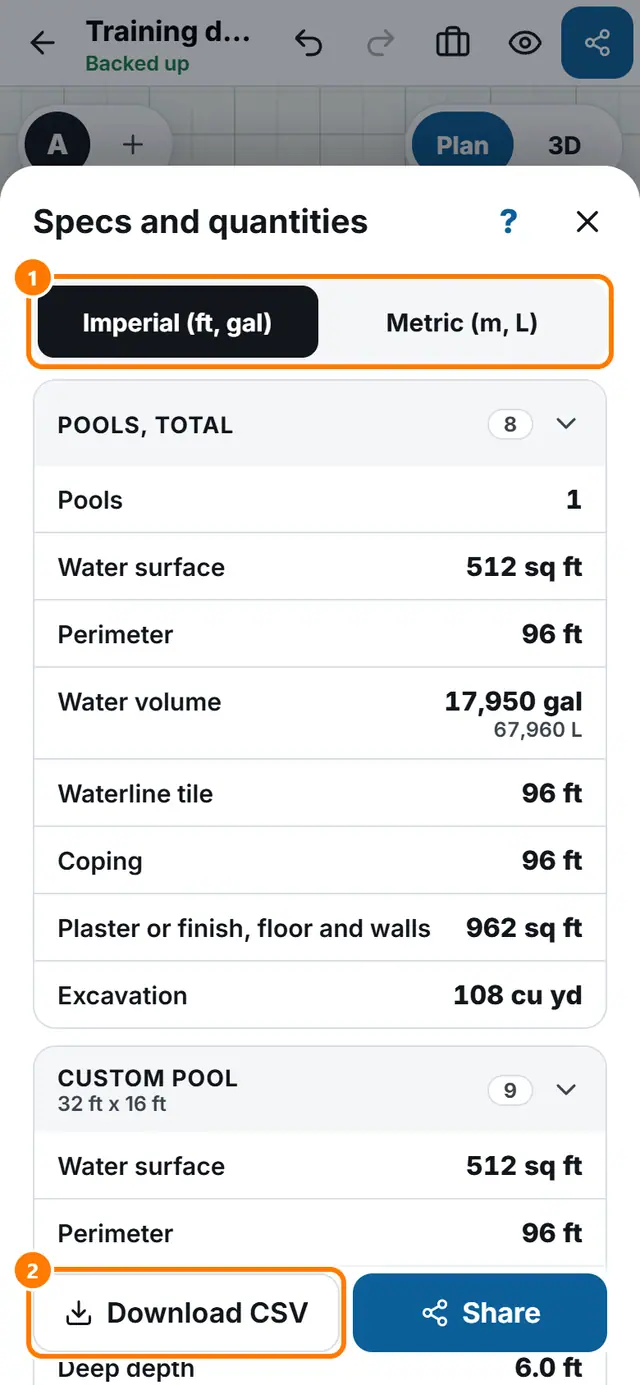
- Tap More tools, then Specs and quantities. On a wide screen there is also a Specs button in the top bar.
- Read the totals at the top, then each piece below.
- Switch between Imperial (ft, gal) and Metric (m, L) at the top.
- Tap Download CSV for a spreadsheet, or Share.
- For a quick view tap Numbers in the More menu.